> For the complete documentation index, see [llms.txt](https://thin-vu.gitbook.io/axetor-shopify/llms.txt). Markdown versions of documentation pages are available by appending `.md` to page URLs; this page is available as [Markdown](https://thin-vu.gitbook.io/axetor-shopify/other-pages/password.md).
# Password
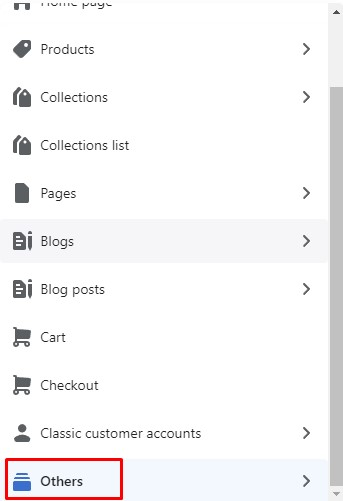
* In the theme editor (**Customize**), open the template selector
* Select **Others**, then **Password**
### General Settings
### Header Password
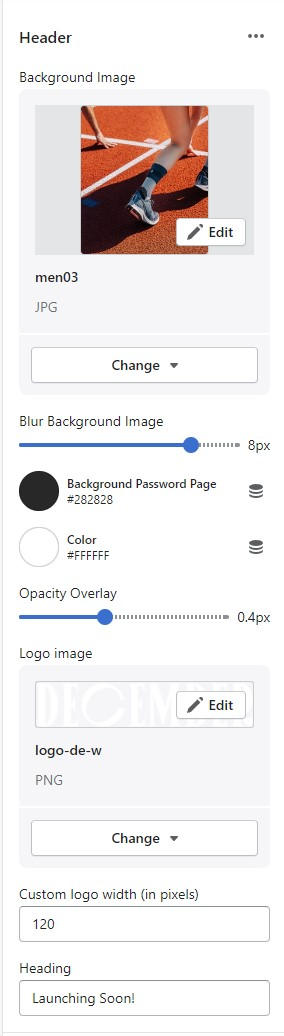
In **Password page** -> Click **Header**
* Background Image
* Blur Background Image
* Background Password Page
* Color
* Opacity Overlay
* Logo image
* Custom logo width (in pixels)
* Heading
### Content Password
{% hint style="success" %}
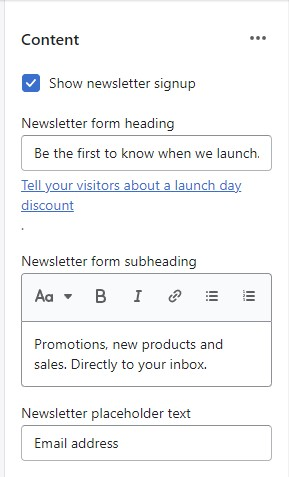
In **Password page** -> Click **Content**
{% endhint %}
* Show newsletter signup
* Newsletter form heading
* Newsletter form subheading
* Newsletter placeholder text
### Footer
{% hint style="success" %}
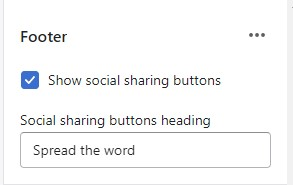
In **Password page** -> Click **Footer**
{% endhint %}
.png)