# Product Card
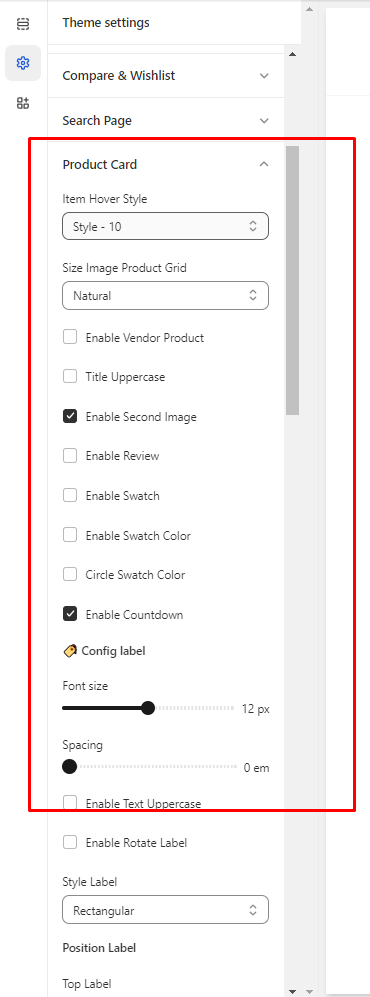
In the theme editor **(Customize) => Theme Settings**, click **Product Card**
**Item Hover**: These settings help you change the style of item hover and some settings about the item product.
Settings label item product\
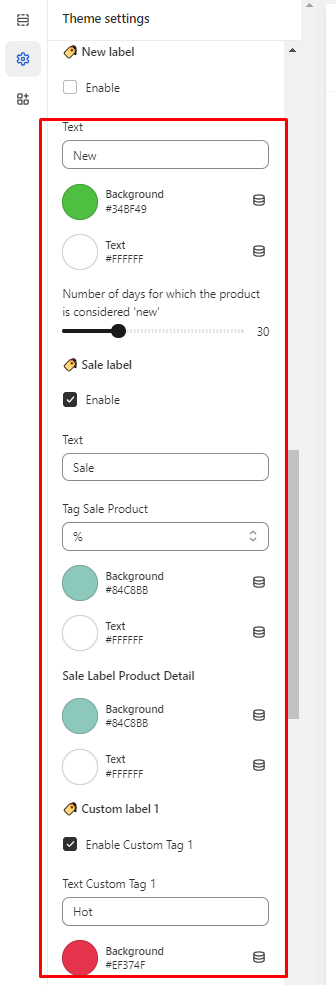
**🏷️ New label** => Customer can settings Number of days for which the product is considered 'new'
**🏷️ Sale label** => Discounted products will have this label
🏷️ **Custom label 1** => If you want show this label, you need enter tag for each product\
Example: tag in product => "Hot" text in Custom label 1 => "Hot"
**Custom label 2, Custom label 3 =>** do the same **Custom label 1**