# General settings

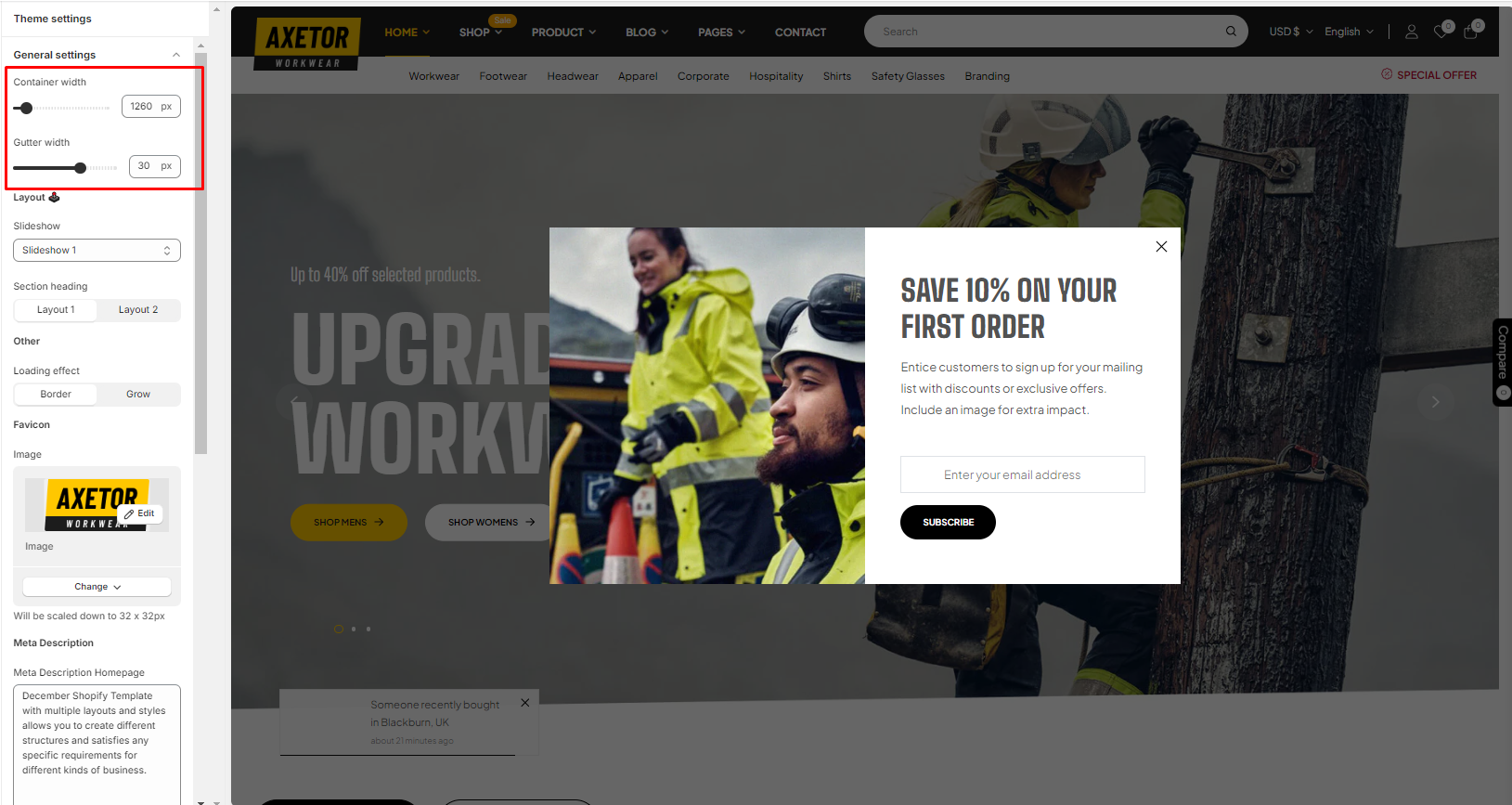
In the theme editor **(Customize) => Theme Settings**, click **General setting**

#### 1. Container <a href="#id-1.-container" id="id-1.-container"></a>

<figure><img src="https://2361551639-files.gitbook.io/~/files/v0/b/gitbook-x-prod.appspot.com/o/spaces%2FHvpHXxVsLGG7Sr7k8tL4%2Fuploads%2F0tfFEgVXiZM4iwTtsWz7%2Fg6.png?alt=media&#x26;token=915f3776-3b10-49c6-bdac-cde4ebc8a032" alt=""><figcaption></figcaption></figure>

**Container**: You can modify the width container

**Gutter width**: Column spacing

### 2. Layout & Favicon

<figure><img src="https://2361551639-files.gitbook.io/~/files/v0/b/gitbook-x-prod.appspot.com/o/spaces%2FHvpHXxVsLGG7Sr7k8tL4%2Fuploads%2FpDBQgA5Cf0ZuLPuutzuB%2Fg7.png?alt=media&#x26;token=e631b000-1e65-4280-86f4-fcc884036729" alt=""><figcaption></figcaption></figure>

**Slideshow**: This theme has 3 types of Slideshow, When you select a type of Slideshow => **Save and Refresh** Website, Homepage will update Slideshow, then you can config Slideshow Section&#x20;

**Section Heading**: This is the type of Heading for all Sections

**Loading Effect**: This is the effect when Website loading

**Favicon:** size 32x32px
<figure><img src="https://2361551639-files.gitbook.io/~/files/v0/b/gitbook-x-prod.appspot.com/o/spaces%2FHvpHXxVsLGG7Sr7k8tL4%2Fuploads%2FTBadpvBShrgjpIS6PthF%2Fg8.png?alt=media&#x26;token=bb42018f-9c49-4b58-9be1-01cd32d83c87" alt=""><figcaption></figcaption></figure>
