# Footer
In the theme editor **(Customize) => Section**, click **Footer**
### General Settings
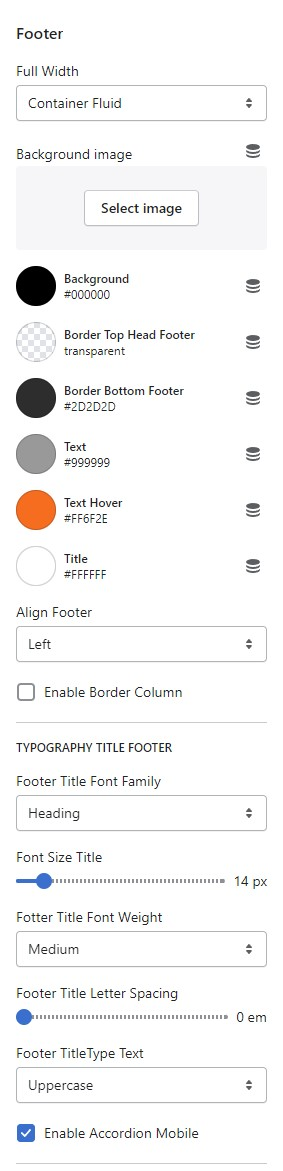
Top Footer
You can setings
* Width Footer
* Background Image
* Background color, Text, Color, Hover color, Border
* Align Footer
* Border Column each Block
* Typography Title Footer, Font Family, Font Weight, Font Size, Letter Spacing, Text Style
* Enable Accordion Mobile
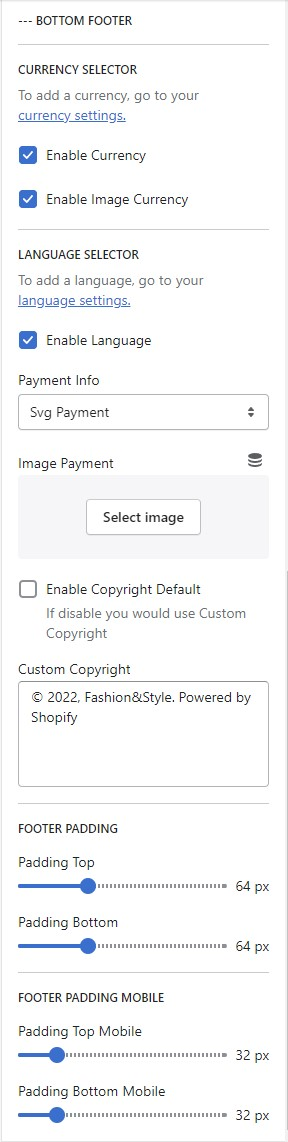
### Bottom Footer
You can settings
* Currency and Languages => [look like the header](https://thin-vu.gitbook.io/axetor-shopify/global-settings/broken-reference)
* Payment Info Svg payment => Logo payment of settings payment
* Payment Info Image payment => You can upload image
* Enable Copyright Default or Customize Text
* Footer Padding Desktop and Mobile