# Article content
In the theme editor (**Customize**) **Default blog post** > Click **Article content**
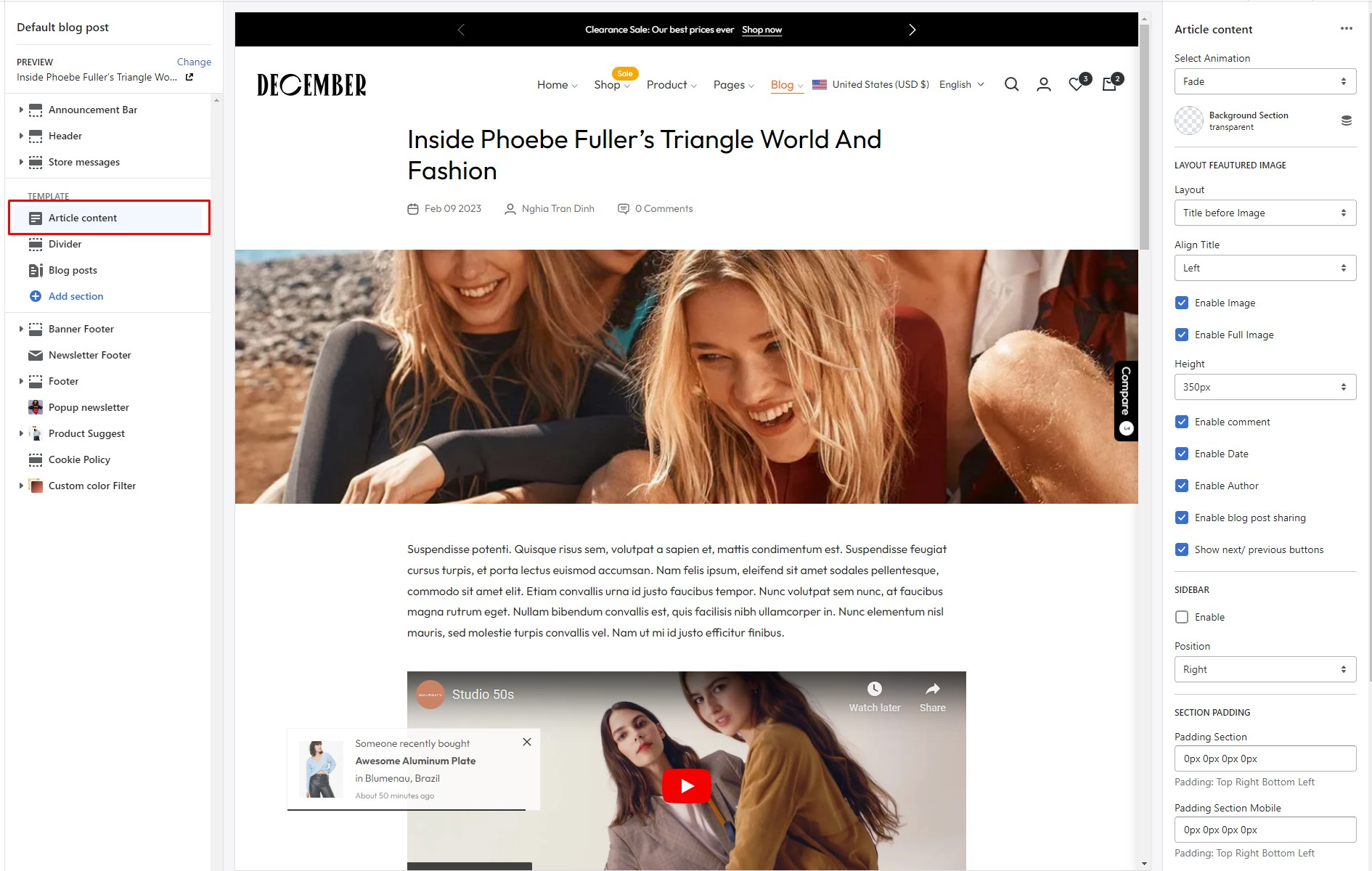 Layout
{% tabs %}
{% tab title="Title Over Iamge" %}
Layout
{% tabs %}
{% tab title="Title Over Iamge" %}
 {% endtab %}
{% tab title="Title after Image" %}
{% endtab %}
{% tab title="Title after Image" %}
 {% endtab %}
{% tab title="Title before Image" %}
{% endtab %}
{% tab title="Title before Image" %}
 {% endtab %}
{% endtabs %}
### General settings
{% endtab %}
{% endtabs %}
### General settings
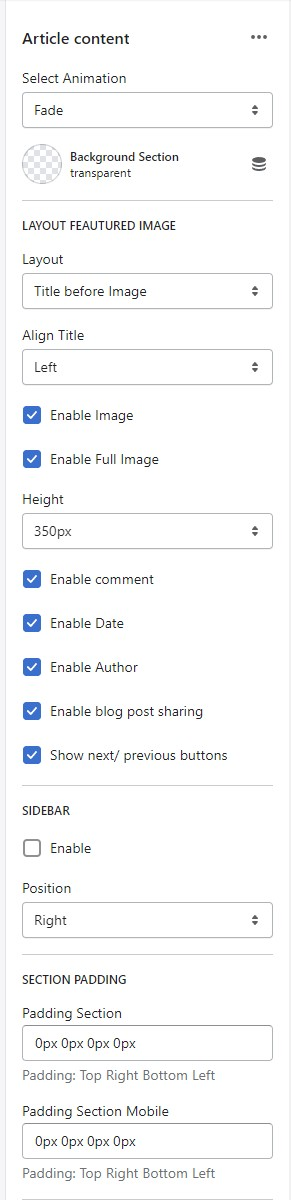 * Select Animation
* Background Section
* Layout Featured Image
* Layout 3 Layouts
* Align Title
* Enable Image
* Enable Full Image
* Height
* Enable comment
* Enable Date
* Enable Author
* Enable blog post sharing
* Show next/ previous buttons
* Sidebar -> [Settings here](https://thin-vu.gitbook.io/axetor-shopify/other-pages/article/broken-reference)
* Section Padding
* Select Animation
* Background Section
* Layout Featured Image
* Layout 3 Layouts
* Align Title
* Enable Image
* Enable Full Image
* Height
* Enable comment
* Enable Date
* Enable Author
* Enable blog post sharing
* Show next/ previous buttons
* Sidebar -> [Settings here](https://thin-vu.gitbook.io/axetor-shopify/other-pages/article/broken-reference)
* Section Padding