# Collection list Grid

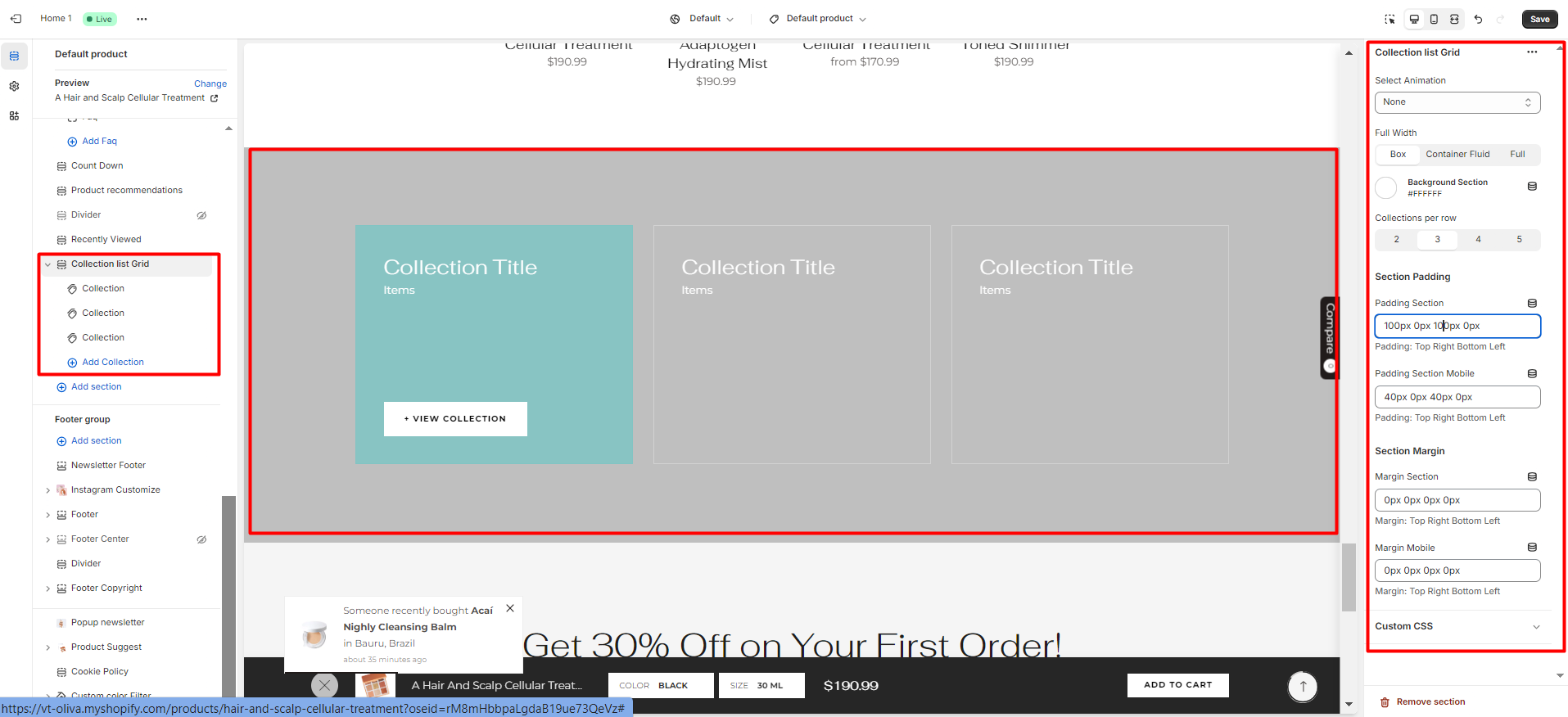
In the theme editor **(Customize) => Section**, Add **Collection list Grid**

<figure><img src="https://content.gitbook.com/content/ou66zlGuL81AP7Hl5Ehv/blobs/rLD87WTktXwUyGyxqu40/collec_list_grid.png" alt=""><figcaption></figcaption></figure>

### General Settings

<figure><img src="https://content.gitbook.com/content/ou66zlGuL81AP7Hl5Ehv/blobs/8pK707936rhDDWnTxUSZ/image.png" alt=""><figcaption></figcaption></figure>

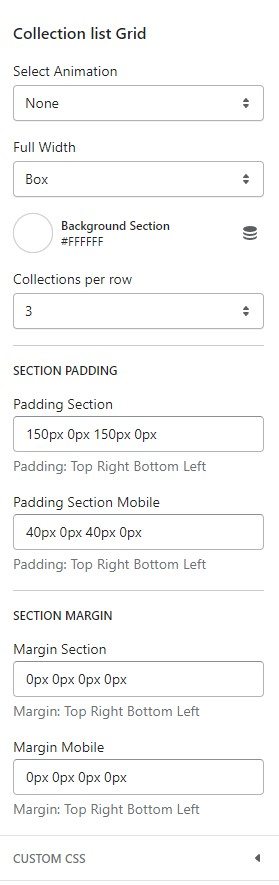
* Select Animation
* Width of Container
* Background Section
* Collections per row
* Section Padding (Desktop on Mobile)

### Block Settings

{% hint style="success" %}
In **Collection list Grid** Section **>** Add **Collection**
{% endhint %}

<figure><img src="https://content.gitbook.com/content/ou66zlGuL81AP7Hl5Ehv/blobs/XgckrhBgt6Rf3N8Ar4WU/coll-list-grid-2.png" alt=""><figcaption></figcaption></figure>

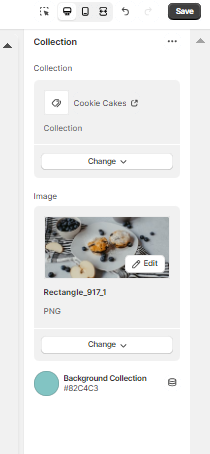
* Select Collection
* Image (You can customize the image for each collection)
* Background Collection ( Hover)