# 404 page

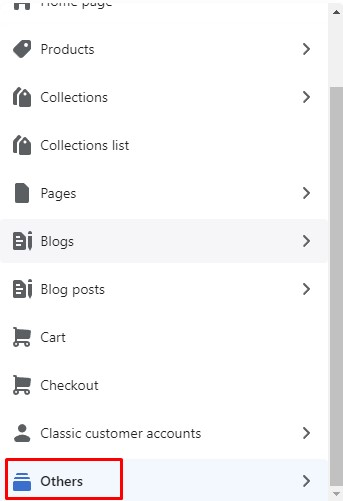
* In the theme editor (**Customize**), open the template selector
* Select **Others**, then **404 page**

<figure><img src="https://content.gitbook.com/content/ou66zlGuL81AP7Hl5Ehv/blobs/qOv76RXcHZq55aTsRpc1/image.png" alt=""><figcaption></figcaption></figure>

<figure><img src="https://3949671186-files.gitbook.io/~/files/v0/b/gitbook-x-prod.appspot.com/o/spaces%2Fou66zlGuL81AP7Hl5Ehv%2Fuploads%2FXRlX7cT0SiQYbu98RshA%2Fss_404.png?alt=media&#x26;token=b6aa6187-d911-43f0-8ed0-2cbc4854cdcc" alt=""><figcaption></figcaption></figure>

### General Settings

{% hint style="success" %}
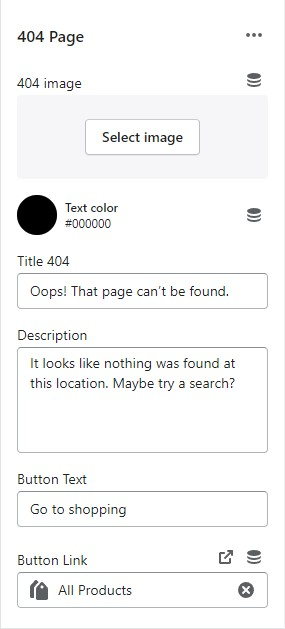
In **404 page** -> Click **404 page Section**
{% endhint %}

<figure><img src="https://content.gitbook.com/content/ou66zlGuL81AP7Hl5Ehv/blobs/wj5Sx7fNqeCXwaSBmqLX/image.png" alt=""><figcaption></figcaption></figure>

* 404 image
* Text Color
* Title 404
* Description
* Button Text
* Button Link