# Currency & Languages

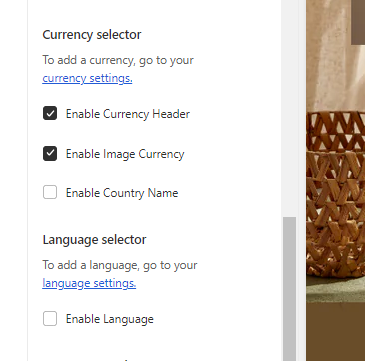
In the theme editor **(Customize) => Section**, click **Header >** Scroll to **CURRENCY SELECTOR** or **LANGUAGE SELECTOR**

<figure><img src="https://content.gitbook.com/content/ou66zlGuL81AP7Hl5Ehv/blobs/Kw3hPU0QIMrM1tfG5M6D/image.png" alt=""><figcaption></figcaption></figure>

### **CURRENCY SELECTOR**

{% embed url="<https://help.shopify.com/en/manual/markets/managing-markets>" %}

<figure><img src="https://content.gitbook.com/content/ou66zlGuL81AP7Hl5Ehv/blobs/Zb65pZlYDNFbOqwZlmnk/image.png" alt=""><figcaption></figcaption></figure>

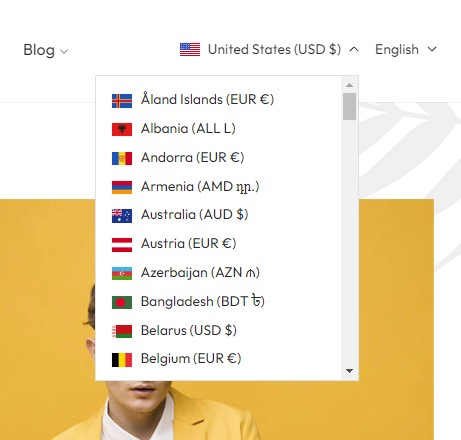
You can enable multiple currencies by adding the countries and regions for each currency that you want to accept in your store.

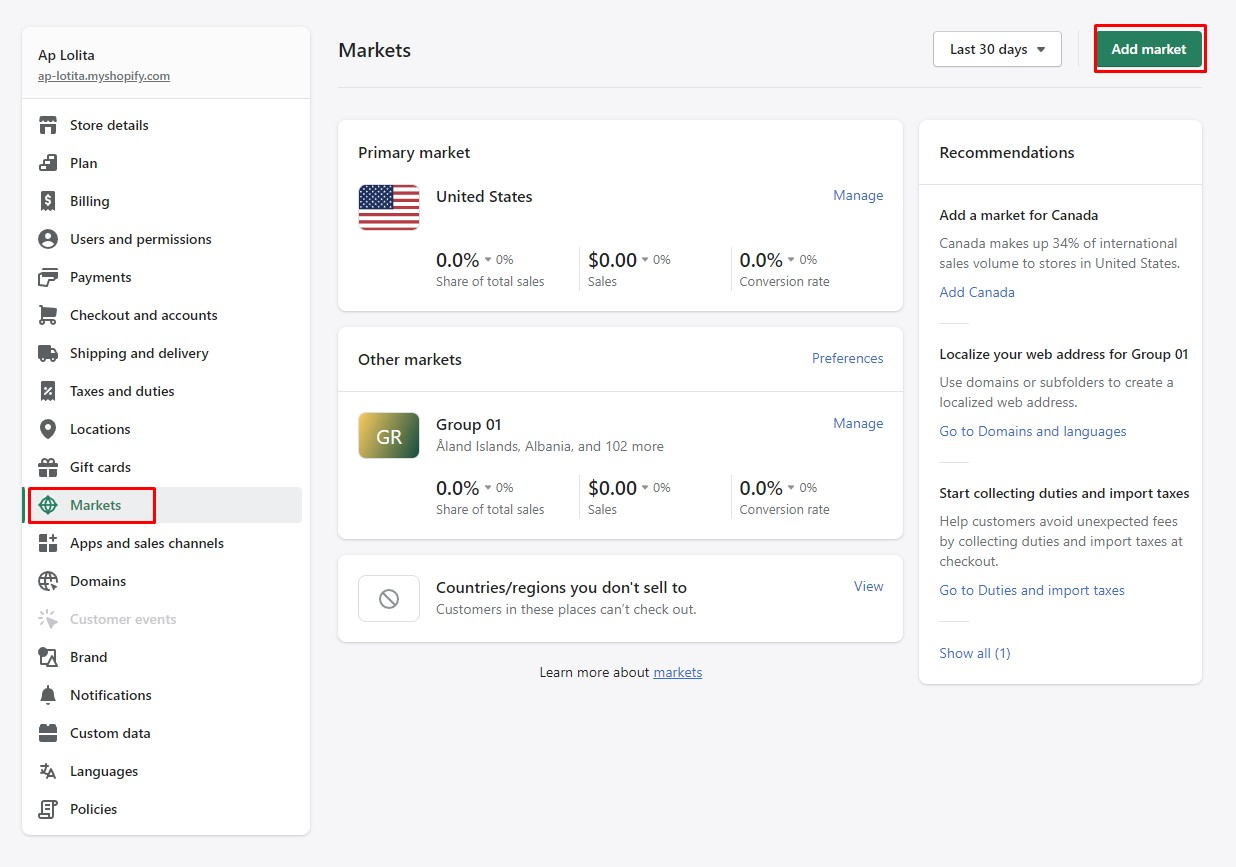
1\. In the Shopify Admin, navigate to **Settings.**

2\. Choose **Markets > Add Market.**

<figure><img src="https://content.gitbook.com/content/ou66zlGuL81AP7Hl5Ehv/blobs/PO9IeIjudX2OptF9YByu/image.png" alt=""><figcaption></figcaption></figure>

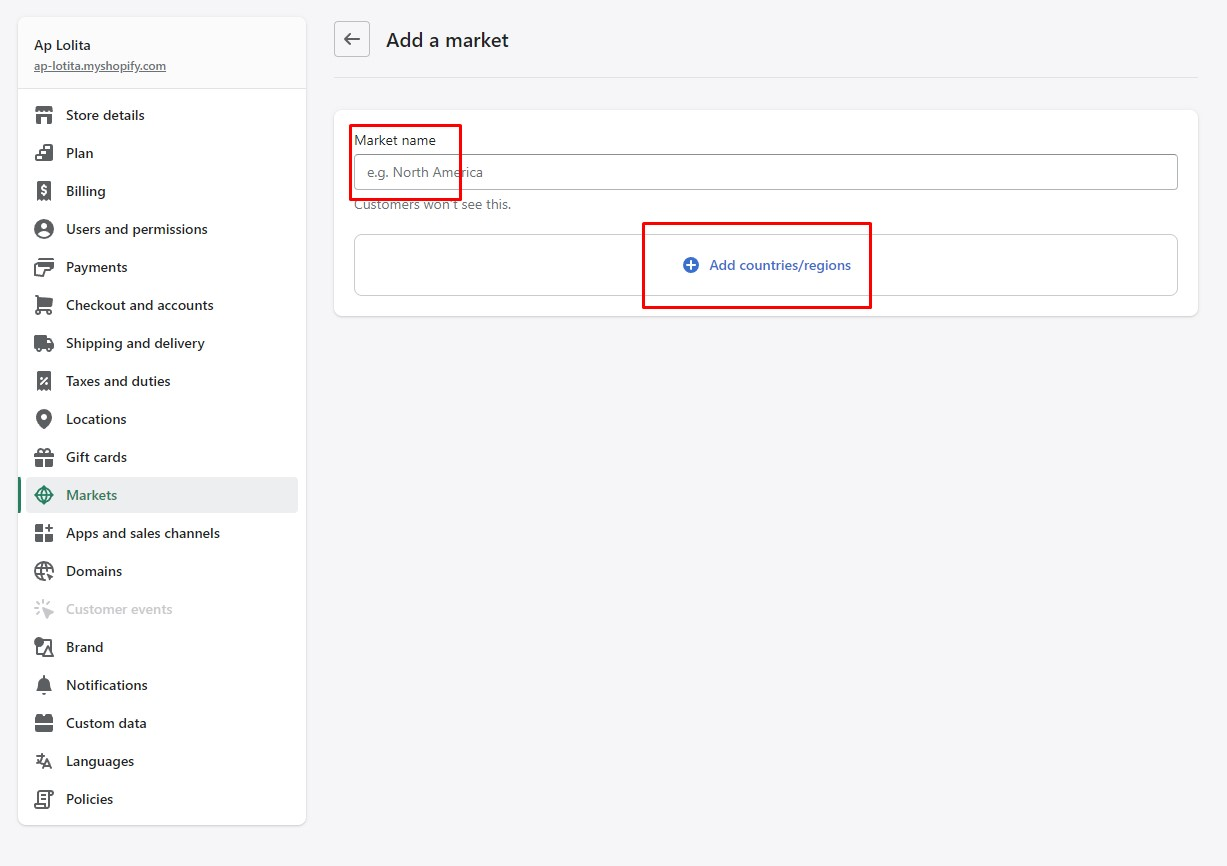
3\. Set group Name, select **Add countries/ regions** and select the **countries/ regions** you want.

<figure><img src="https://content.gitbook.com/content/ou66zlGuL81AP7Hl5Ehv/blobs/vGUBx8lb28M9wgfOqS09/image.png" alt=""><figcaption></figcaption></figure>

4\. and **Save**

{% hint style="info" %}
If you want to disable multiple currencies > Click **Manager** > Market status **select Inactive** or **Remove**
{% endhint %}

### ![](https://content.gitbook.com/content/ou66zlGuL81AP7Hl5Ehv/blobs/NbizsDt8ySRPO8xIKV98/image.png)![](https://content.gitbook.com/content/ou66zlGuL81AP7Hl5Ehv/blobs/v4iWqM3TnTZLtYpEb8yc/image.png)

### **LANGUAGE SELECTOR**

[**https://help.shopify.com/en/manual/markets/languages/manage-languages**](https://help.shopify.com/en/manual/markets/languages/manage-languages)