# Header

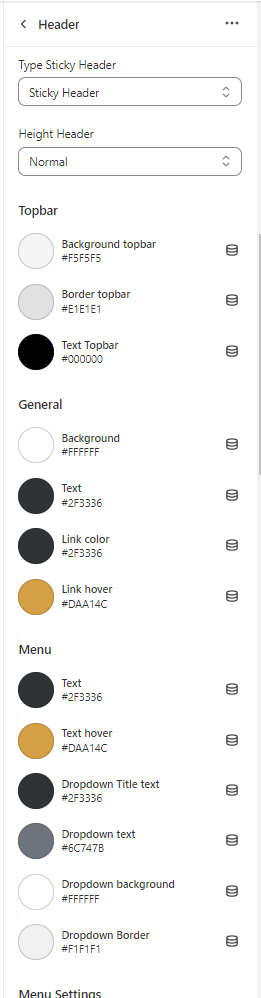
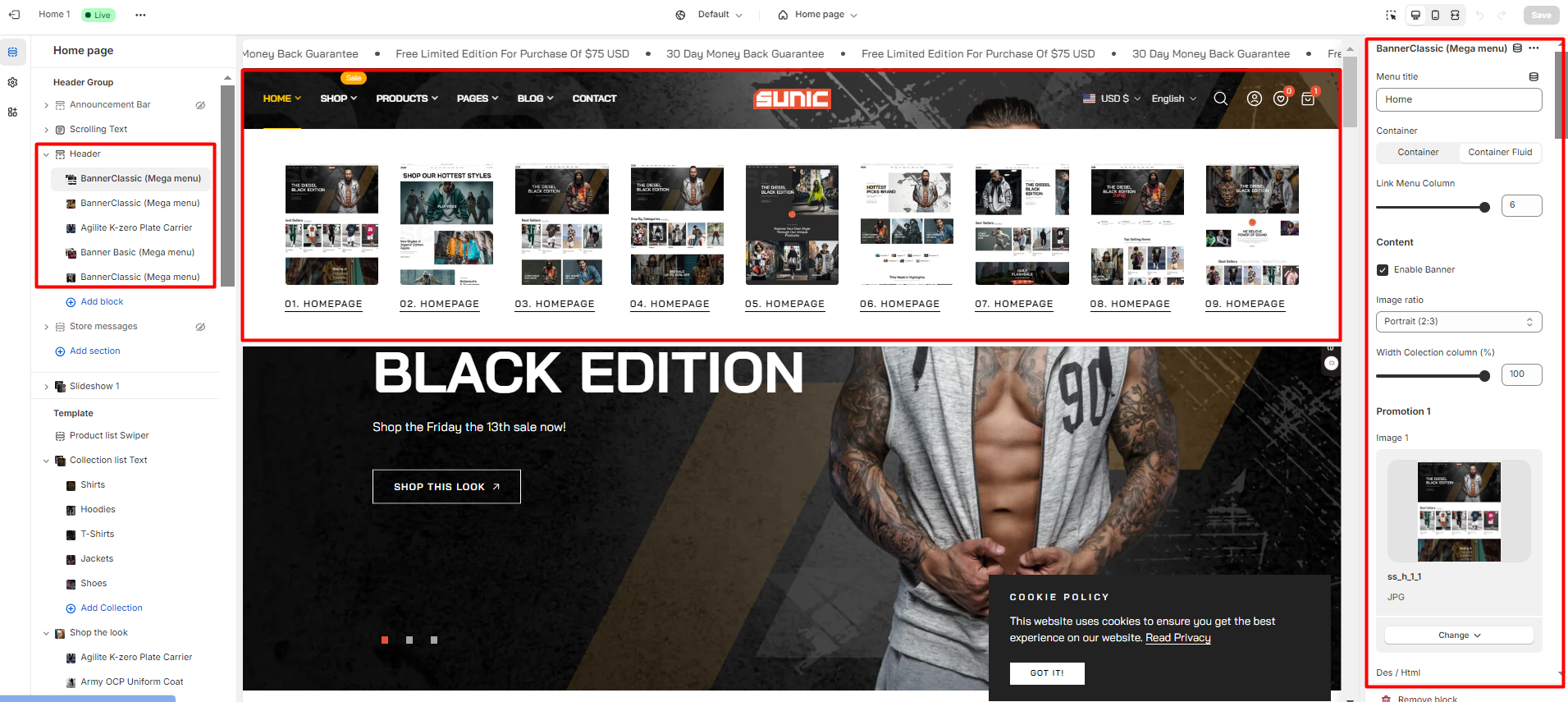
In the theme editor **(Customize) => Section**, click **Header**

<figure><img src="https://3949671186-files.gitbook.io/~/files/v0/b/gitbook-x-prod.appspot.com/o/spaces%2Fou66zlGuL81AP7Hl5Ehv%2Fuploads%2FmFl3H1WykniXpMd9p1DG%2Fss_header.png?alt=media&#x26;token=68a91383-e906-4a8a-a42b-dccfc97002bb" alt=""><figcaption></figcaption></figure>

### Color Header

{% hint style="info" %}
In the theme editor **(Customize) => Section**, click **Header >** Scroll to **General**

You can setting color for Header
{% endhint %}
<figure><img src="https://content.gitbook.com/content/ou66zlGuL81AP7Hl5Ehv/blobs/6j5hXIWiB0qwvwRbZa6A/image.png" alt=""><figcaption></figcaption></figure>