# Update Theme
## 1. Download the latest version
{% hint style="success" %}
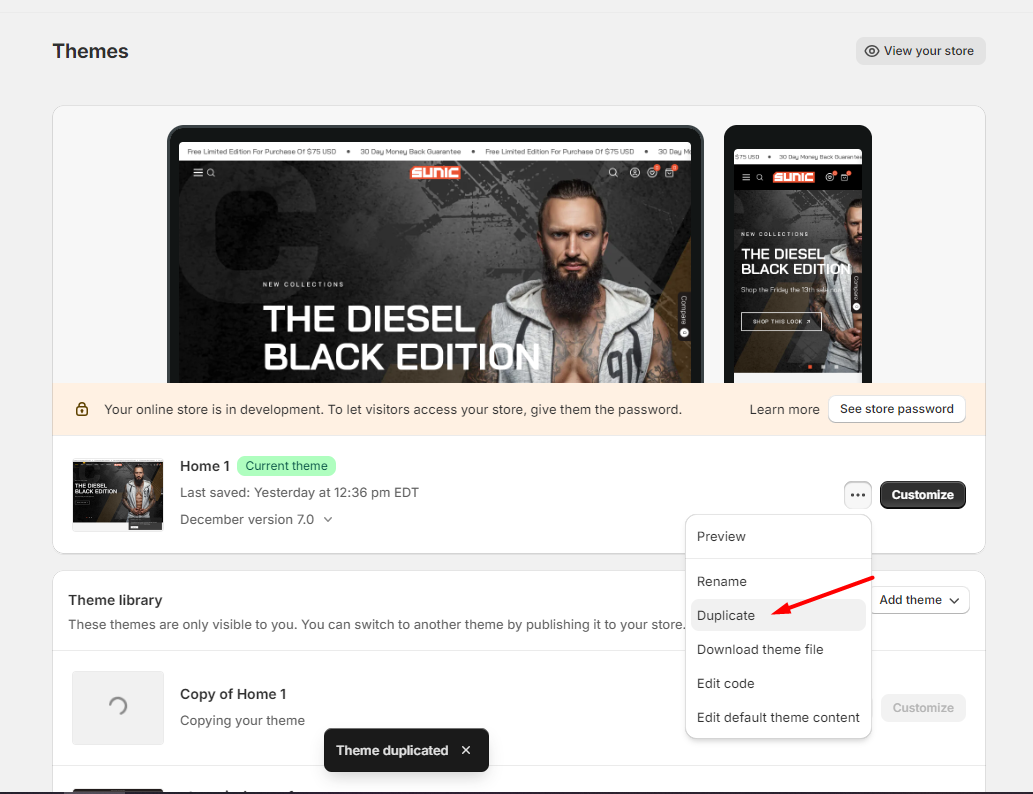
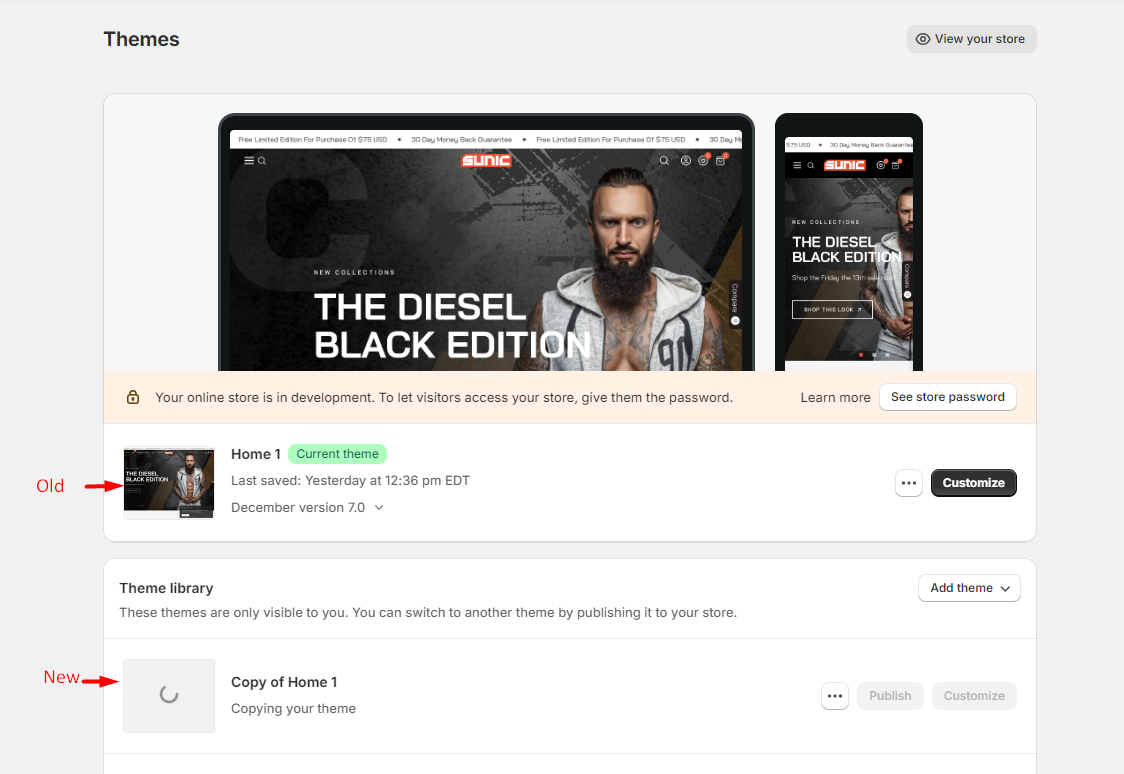
1. Backup your current theme by selecting **Actions > Duplicate** (recommended)
2. Download the latest version
3. Install the latest version and **Publish**
{% endhint %}
## 2. Upgrade Theme
{% hint style="danger" %}
* Regarding the app you have installed, you may need to reinstall them. We recommend that you contact the app provider for support as we cannot handle the code of the app.
* If you want to use the latest theme and bring the data from the old version to the new version, here's how you can do it.
* Themes don't update automatically, you need to do it manually
{% endhint %}
* **Migrate file settings\_data.json**
{% hint style="success" %}
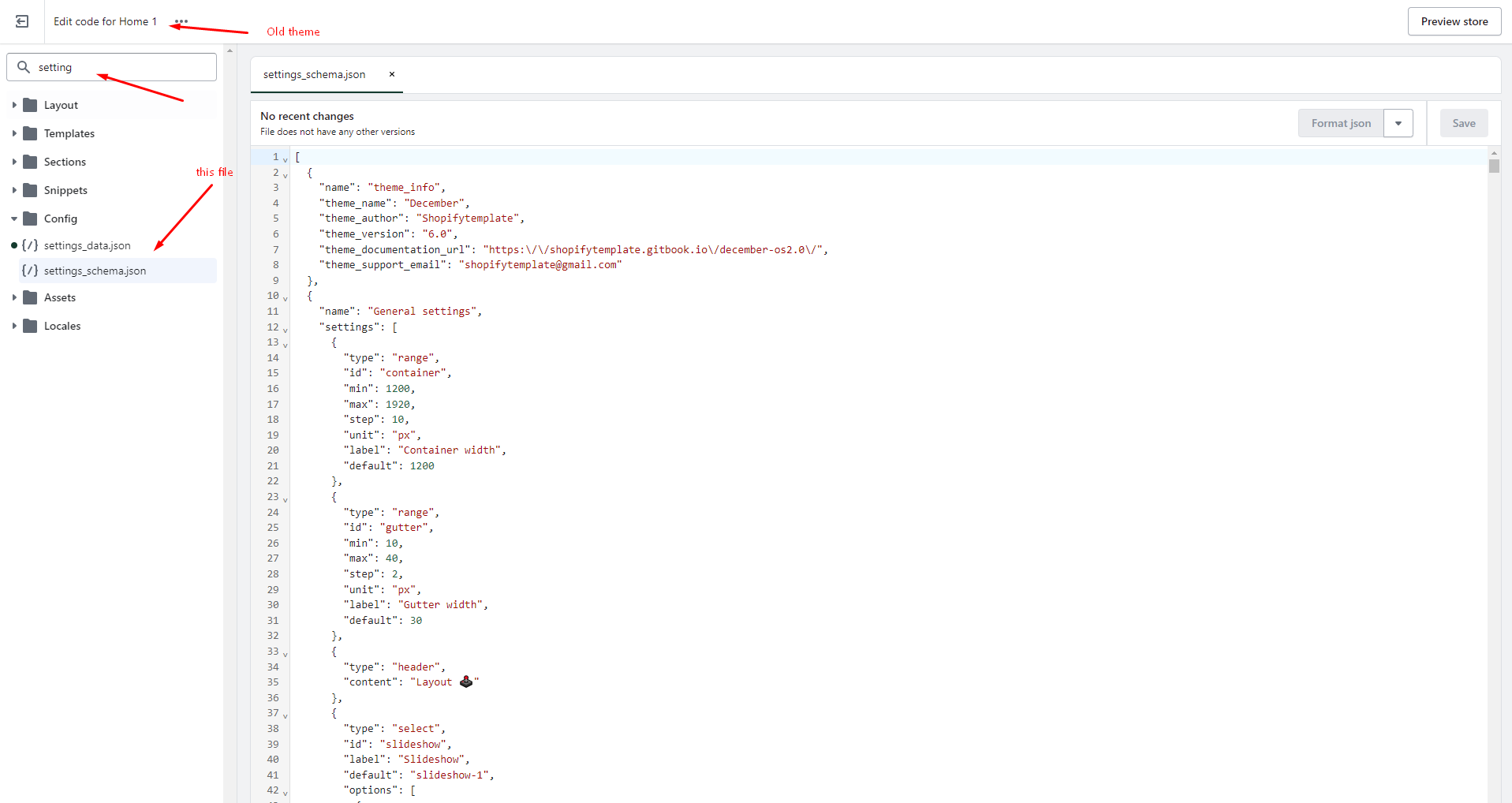
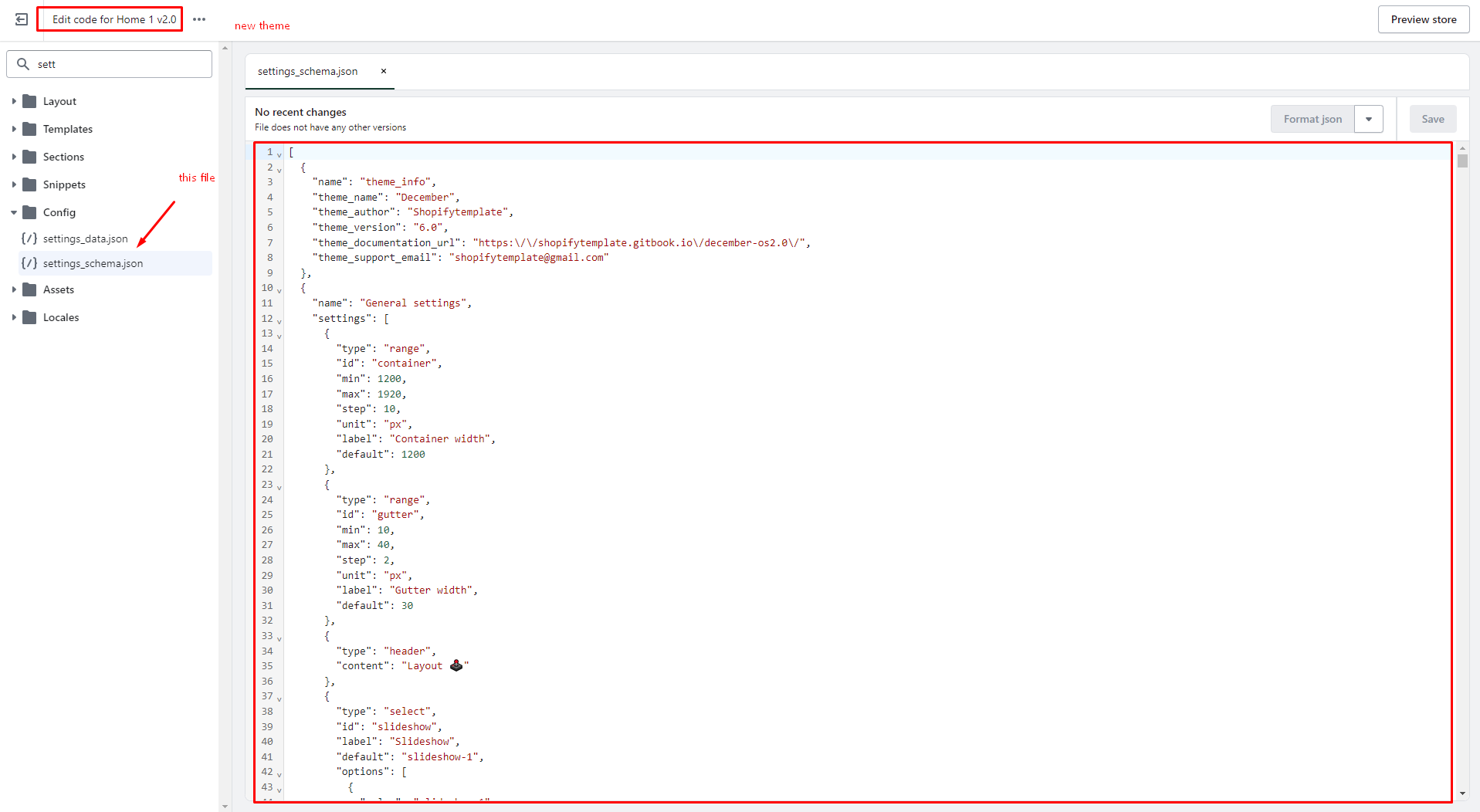
1. Open the old theme. Click **Theme actions -> Edit code -> Open settings\_data.json file -> Copy the entire code on this file.** Then paste it into the same file of the new theme.
2. Click **Save** to finish.
{% endhint %}
Copy the entire code on this file
Then paste it into the same file
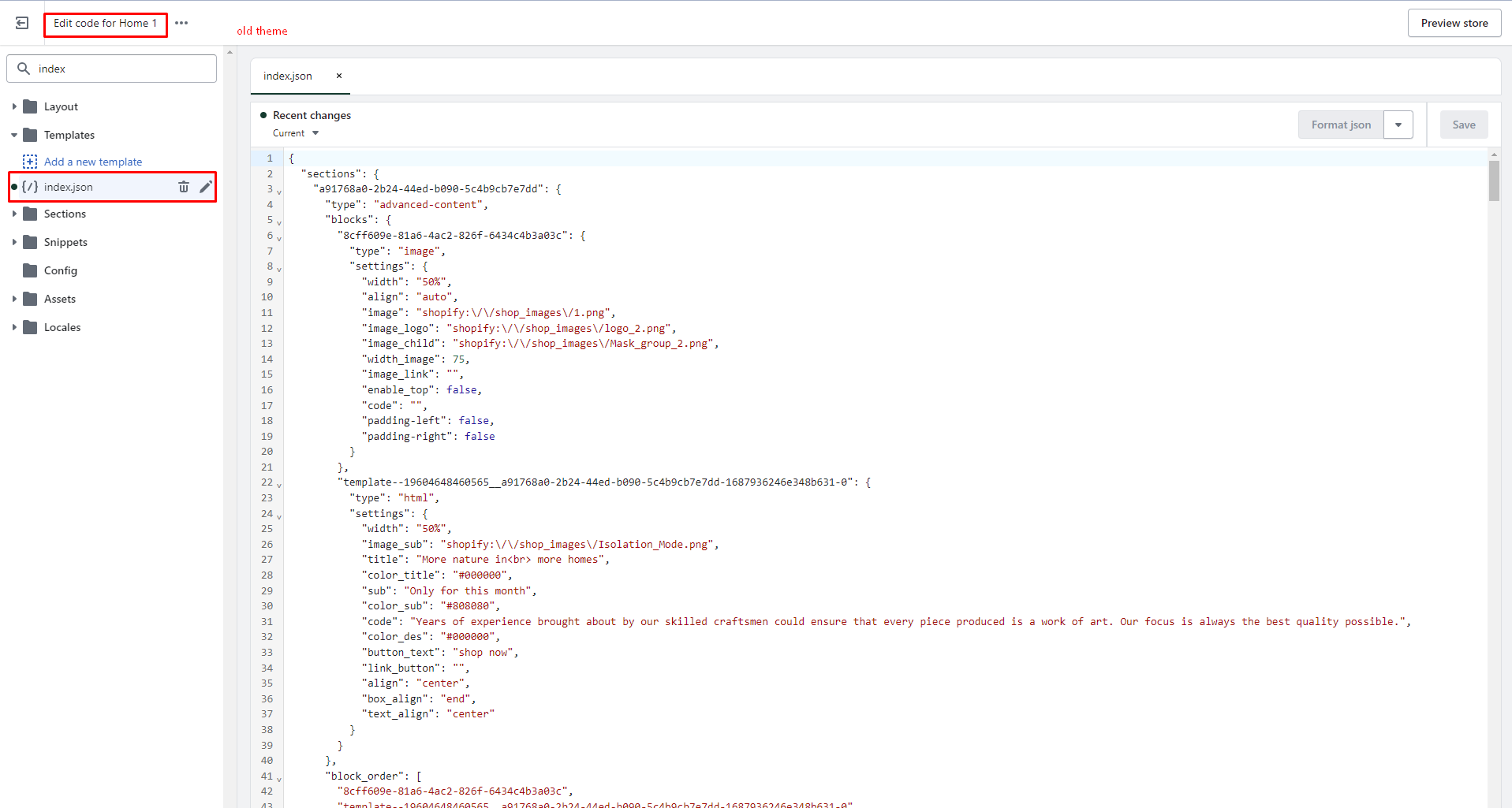
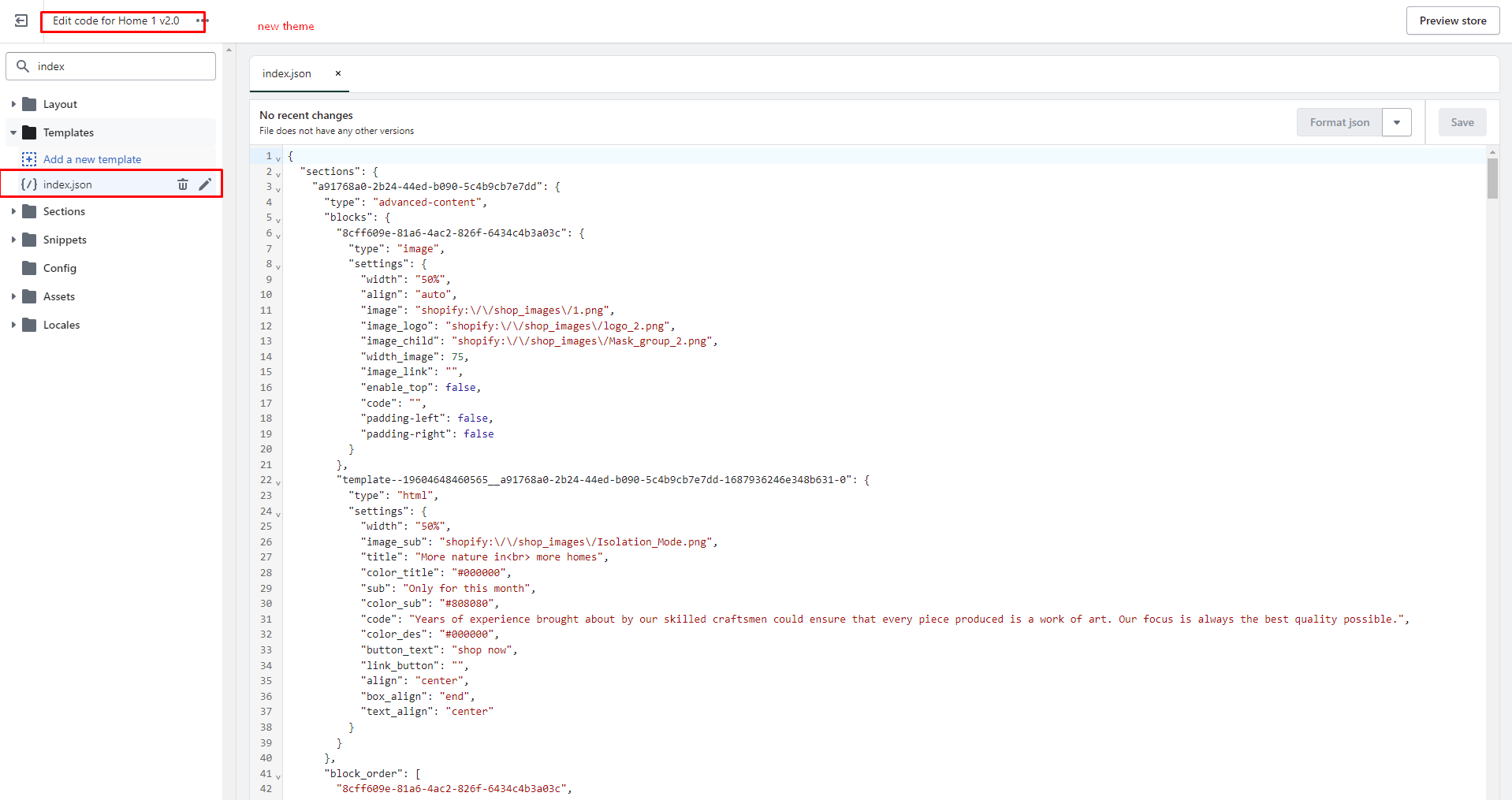
* **Migrate file Index.json**
{% hint style="success" %}
1. Open the old theme. Click **Theme actions -> Edit code -> Open index.json file -> Copy the entire code on this file.** Then paste it into the same file of the new theme.
2. Click **Save** to finish.
{% endhint %}
Copy the entire code on this file
Then paste it into the same file
{% hint style="info" %}
You can do the same as you did with list files
**product.json**
**collection.json**
{% endhint %}